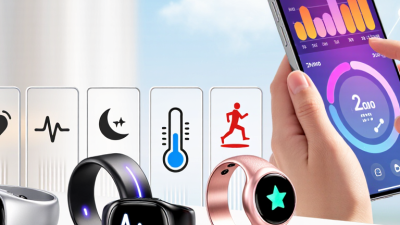
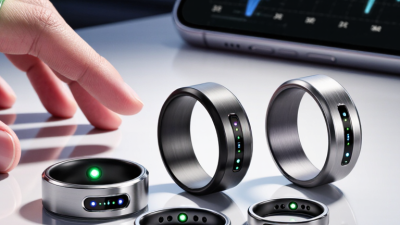
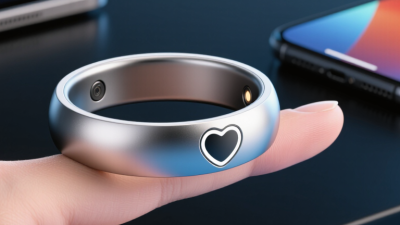
Okay, so smart rings for Android are basically these tiny wearable gadgets that pair with your Android phone—usually through the maker's app. They track things like sleep, movement, heart rate, and all sorts of health signals. Picture this: a super light ring on your finger, with sensors gently resting against your skin while you're asleep. Small, sure, but it's surprisingly capable.
Seems like the smart ring market is really picking up steam. Grand View Research pegged it at around $314.5 million in 2023, and they're projecting an 18.8% compound annual growth rate through 2030. Of course, that's just a projection—not a promise of actual sales or performance. Still, it kind of explains why so many brands are suddenly playing around with ring-shaped wearables.
So, if you're on Android, that word 'compatible'? Yeah, it deserves a second look. Certain rings are picky—they need a specific Android version, certain permissions, or particular phone features. And even then, what works on one brand might not work on another. So definitely check the manufacturer's list before you buy. You'll also want to compare sizing, battery life, subscription costs, and where your health data ends up. Fit is a big one too. If the ring spins or feels too tight, it's not just uncomfortable—it can mess with the sensors. It's not magic, unfortunately.
Okay, so this guide is basically about smart rings—what they actually do, how they connect to Android, and which features are actually worth caring about. But we’re also going to be real about the downsides: the health numbers are estimates, not medical diagnoses, and not every ring gets along with every phone. Honestly, how comfortable a ring feels in real life says a lot more than any glossy product page.
What a Smart Ring for Android Is
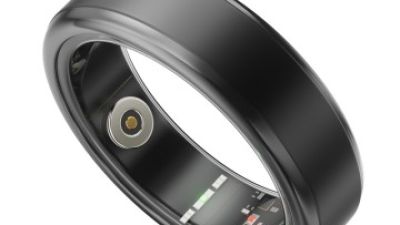
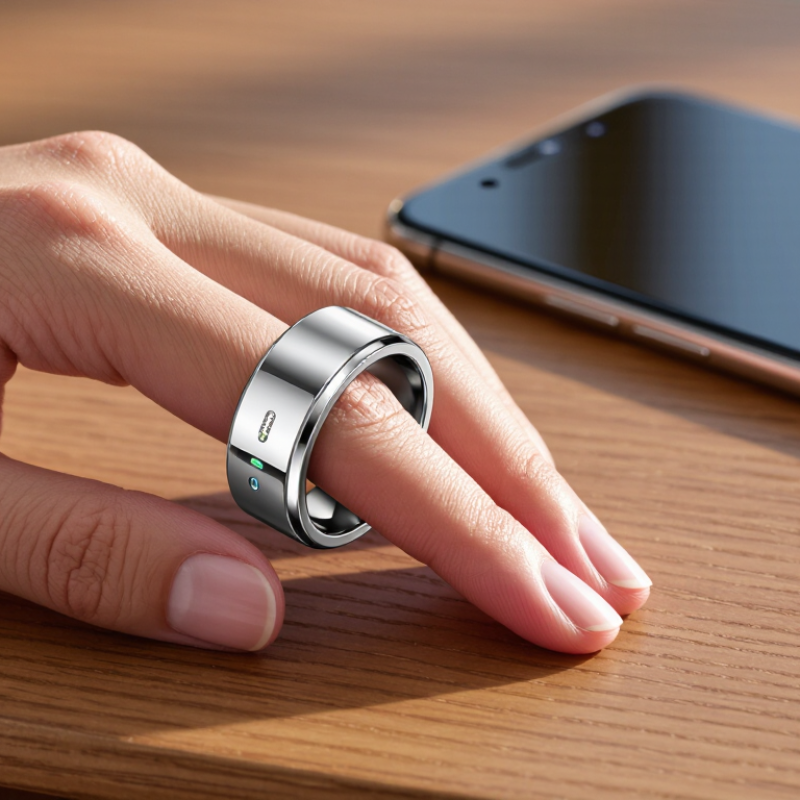
A smart ring for Android is a compact wearable that pairs with a compatible Android phone, usually through Bluetooth and a companion app. Sensors inside the ring can track signals such as movement, skin temperature, and pulse patterns. The app turns those readings into estimates of sleep, activity, or recovery. It is not a medical diagnosis. Fit matters: a loose ring may shift during sleep, while a tight one can feel uncomfortable. Small, but not magic.
Grand View Research estimated the global smart-ring market at about US$314.5 million in 2023 and projected an 18.8% compound annual growth rate from 2024 to 2030. That is a market forecast, not proof that every ring measures health accurately. Android users should check app and phone compatibility, data-export options, battery life, and whether core features require a subscription. The phrase “China Smart Rings For Android” may appear in searches, but country of manufacture alone says little about sensor quality or support. Independent testing and clear measurement explanations matter more. One limitation is easy to overlook: sleep and recovery scores are estimates, and daily changes can reflect fit, movement, or incomplete data.
What Are Smart Rings for Android?
A smart ring is a wearable that connects to a compatible Android phone, usually over Bluetooth, and uses sensors to track health and activity trends.
Battery life varies by ring and settings. These illustrative estimates show how frequent sensor use can shorten the time between charges; they are not measurements for a specific product.
How Smart Rings Connect to Android Phones
What Are Smart Rings for Android? How Smart Rings Connect to Android Phones
A smart ring is a small wearable that can track selected signals, such as movement, sleep, or heart rate. To connect one to an Android phone, install its companion app and follow the pairing steps inside it. Keep the ring charged and place it near the phone. Bluetooth does the linking; the app usually handles setup, syncing, and settings. The exact steps can vary by ring and Android version. Pairing is not always instant.
Tips: Turn on Bluetooth and grant the app the permissions it requests for setup and syncing. Some Android versions may ask for nearby-device access. Keep the app open during the first connection. Check that the ring appears in the app, not only in the phone’s Bluetooth list. A snug, comfortable fit can also help sensors maintain contact with your skin.
If syncing stops, reopen the app, check Bluetooth, and look for an update. Android battery settings may limit background activity, so the app might not sync until you open it. This can be frustrating. I would not assume every ring works with every Android phone; check compatibility before buying. Search results for Best Smart Rings For Android can help you compare options, but confirm details with the device’s official support information. Tracking estimates are useful for noticing patterns, not medical diagnoses.
Sensors and Data Tracked by Smart Rings
A Smart Ring Android setup pairs a small wearable with an Android phone to record health and activity signals. Its sensors sit against the finger, where blood flow can be measured using light-based photoplethysmography. An accelerometer detects movement, steps, and periods of rest. Some rings also include skin-temperature sensors or gyroscopes. The exact sensor mix varies, so check the device’s specifications before relying on a feature.
These measurements may support estimates of heart rate, sleep duration, activity, and temperature trends. They are not medical diagnoses. A loose fit, cold hands, or restless movement can affect readings. That matters. Sleep stages and calorie estimates are especially approximate, even when an app displays tidy graphs. A Smart Ring Android user should also check which data syncs to the phone and what permissions the companion app requests.
Tips: Wear the ring snugly, but not uncomfortably, and follow its sizing guidance. Compare trends over several days instead of reacting to one unusual reading. Keep the sensor area clean. If a number seems wrong, check the fit and repeat the measurement; persistent health concerns deserve advice from a qualified clinician.
Health, Fitness, and Everyday Features
Smart rings for Android are small wearables that track selected health and activity signals from a finger. Depending on the model, they may record sleep duration, resting heart rate, skin-temperature trends, and daily movement. A ring can feel less intrusive than a watch while you sleep. Fit matters: a loose ring may produce unreliable readings, and a tight one can become uncomfortable as fingers swell.
For fitness, these devices are better suited to noticing patterns than measuring every workout precisely. A morning report might show a shorter sleep window after a late evening, while movement estimates can reveal how often you leave your desk. Useful, but not a diagnosis. Sensor readings are estimates, and intense exercise may challenge accuracy. The data can be messy. Compare trends over time rather than treating one unusual reading as proof that something is wrong.
Everyday features vary. Some rings support phone notifications, simple gesture controls, or contactless payments, but Android compatibility and app permissions differ by device. Check whether the companion app supports your phone and which data it collects before buying. Charging is another small routine: you may need to remove the ring every few days, depending on battery life and use. A ring is convenient, though it cannot replace a phone screen when you need detailed information.
Android Compatibility and App Requirements
What Are Smart Rings for Android?
Android Compatibility and App Requirements
A smart ring pairs with an Android phone through Bluetooth and a companion app. “Android compatible” does not mean every phone supports every feature. Check the app’s minimum Android version, Bluetooth requirements, and phone permissions before buying. Android 12 and later use a nearby-devices permission for many Bluetooth connections; older versions may request location access during setup. The exact prompts depend on the app. A little confusing, honestly.
StatCounter Global Stats reported Android accounted for 71.85% of global mobile operating-system usage in October 2024. That broad reach doesn’t guarantee smooth pairing: Android phones differ in software versions, battery controls, and permission settings. Google’s Android Developers documentation explains that Bluetooth behavior and permissions vary by Android release. In practice, a ring may connect successfully yet lose background syncing if the phone restricts the app. Check whether the app needs notifications, health-data access, or an account, and review its current store listing.
Tips: Before setup, update Android, charge the ring, and keep Bluetooth on. Allow nearby-device access when prompted. If syncing stalls, check battery-saving settings; they can quietly pause background activity. Also confirm that the app supports your exact Android version—not just “Android” in general.
Battery Life, Comfort, and Privacy Considerations
Smart rings for Android track selected health and activity signals through a small wearable synced with a phone. Their usefulness depends on more than feature lists. Battery life, fit, and data handling can shape daily experience. Check Android compatibility and app requirements before buying, since support may vary by phone and software version. Battery estimates are not guarantees. Frequent measurements, notifications, and syncing may shorten time between charges.
Comfort is easy to underestimate. A ring that feels fine in a shop may press against your finger during sleep or exercise. Fingers can swell with heat, so a snug fit should not feel tight. Small details matter. Check the sizing guidance and return terms, and consider whether you can charge it without interrupting a routine. Some people may simply prefer a watch or no wearable at all.
Tips: Review app permissions and disable access you do not need. Read how health data is stored, shared, and deleted; do not assume every setting is private by default. Use a strong phone lock, and check whether account exports or cloud syncing can be turned off. Battery figures and privacy controls can change with updates, so revisit settings occasionally. That extra check is easy to forget.
What Are Smart Rings for Android? - Battery Life, Comfort, and Privacy Considerations
| Dimension |
Typical Information |
What Android Users Should Consider |
| What a smart ring is |
A small wearable that can use sensors to track selected health, activity, or sleep signals and send data to a companion app. |
Features differ by device. A ring is not a medical diagnostic tool, and readings may be estimates rather than clinical measurements. |
| Android compatibility |
Most smart rings sync with a phone app, commonly over Bluetooth Low Energy. Supported Android versions and phone requirements vary. |
Check the app’s current Android requirements, permissions, and whether key features work without a paid subscription. |
| Battery life |
Many models are designed to last several days per charge; actual life depends on sensors, settings, fit, and usage. |
Treat published battery figures as estimates. Frequent syncing, intensive tracking, and battery age can reduce time between charges. |
| Charging |
Charging is usually done with a dedicated dock or case; charging time and accessories vary by model. |
Check whether the charger is included and plan for a brief tracking gap while the ring is charging. |
| Comfort and fit |
Rings are worn on a finger, so fit, inner shape, width, and material affect comfort. Fingers can change size with temperature and time of day. |
Use the maker’s sizing process rather than assuming your usual ring size. A snug fit should not feel painful, numb, or difficult to remove. |
| Everyday activities |
A ring can be convenient for passive tracking, but it may be less practical during weightlifting, manual work, or activities involving gripping. |
Remove it when it could catch, scratch, or be squeezed against equipment. Follow the device’s care and water-resistance guidance. |
| Privacy and data storage |
Health and activity data may be processed on the phone, stored online, or both. Practices depend on the app and its privacy policy. |
Review what is collected, how long it is retained, whether it is shared, and how to export or delete your data. |
| Phone permissions |
The companion app may request Bluetooth access and, depending on its features, permissions related to notifications, location, or health data. |
Grant only permissions needed for the features you use, and review Android privacy settings periodically. |
| Best suited for |
People who want a compact wearable for selected wellness trends and prefer not to wear a watch all day. |
Compare comfort, Android app support, charging routine, data controls, and the specific measurements you care about before choosing. |
Note: Capabilities, battery performance, compatibility, and privacy practices vary by device and app. Check current product documentation before purchase.
How to Choose a Smart Ring for Android
Choosing a smart ring for Android starts with compatibility, not appearance. Check the ring’s app requirements, your phone’s Android version, and whether key features work without a paid subscription. Syncing can vary by phone settings, so look for clear setup instructions and recent software support. A smooth pairing process matters. Nobody wants a sleep tracker that disconnects overnight.
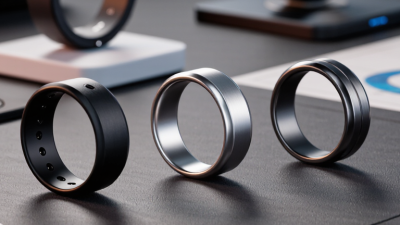
Fit is just as important. Fingers can swell in warm weather or during exercise, so use a sizing kit if one is available and wear the sample ring for a full day. It should feel secure without leaving a deep mark. Compare battery life, charging time, water resistance, and the sensors you will actually use, such as sleep or activity tracking. Treat health readings as estimates, not diagnoses. If accuracy is your priority, check how the maker explains its testing and measurement limits.
Also consider comfort and data controls. A ring may be less distracting than an Android/Ios Smart Watch, but it still collects personal patterns. Read the privacy settings, learn how to export or delete your data, and check whether the app needs constant access to location or notifications. This part is easy to overlook. One imperfect trade-off: a slimmer ring may feel better, yet offer fewer features or shorter battery life. Decide which compromise you can live with before buying.
How Wow Ring Brings Steps, Heart Rate, SpO₂, and Sleep Tracking Together in One Smart Ring
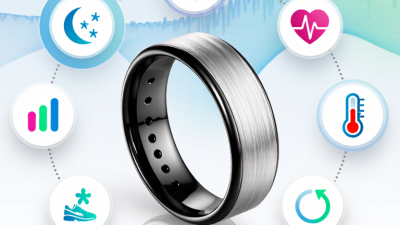
A smart ring can bring several everyday health and activity measurements together in a compact, wearable design. Throughout the day, it can record steps and estimate calories burned, while tracking heart rate during routine activities, sports, or gym workouts. Having these readings in one place makes it easier to review movement patterns and see how activity levels change over time, without needing to rely on multiple devices.
Sleep tracking adds another layer of insight. The ring can organize recorded sleep into Deep, REM, and Light phases, as well as periods when you are awake, helping you understand how your nights vary. Reviewing these patterns alongside daily steps and heart-rate readings may help you notice changes in your habits and consider practical adjustments to your activity or bedtime routine. SpO₂ readings provide an additional wellness metric to view alongside the other recorded data. Sourced from established suppliers and factories, a well-made smart ring offers a convenient way to keep these measurements accessible; its readings are intended for general wellness awareness rather than medical diagnosis.
Conclusion
Smart Rings For Android are compact wearable devices that pair with compatible Android phones to provide convenient access to health, fitness, and everyday insights. They typically connect through Bluetooth and a companion app, where users can review information collected by built-in sensors. Depending on the ring, these sensors may track sleep patterns, heart rate, activity, and other wellness indicators. Some rings also support practical features such as notifications or activity summaries.
Before choosing a ring, check that its app and features work with your Android version and phone. Consider how long the battery lasts, whether the ring feels comfortable throughout the day and night, and how the app handles personal data. Sizing is important too, since a secure but comfortable fit can affect both daily wear and the quality of readings. Comparing these factors can help you find a smart ring that suits your routine and expectations.